Flyleaf
Flyleaf ist eine „Read-Later“-App, die Artikel aus dem Web in einer liebevoll gestalteten Leseansicht präsentiert, ohne Popups, Werbung oder andere Ablenkungen.
Kostenloser Download für
iPhone, iPad und Mac
iPhone, iPad und Mac


Artikel aus dem Internet speichern
Mit dem Share Sheet kannst du von überall interessante Links in Flyleaf speichern. Es gibt auch ein einfaches Bookmarklet für maximale Flexibilität.

Später lesen ohne Ablenkungen
Flyleaf speichert Webseiten und entfernt alles Unwichtige, wie Popups, Werbung und Tracker. So schonst du deine Privatsphäre und deinen Verstand.


Webseiten wie eine Zeitschrift lesen
Mit der Blätterfunktion kannst du Artikel in Flyleaf Seite für Seite lesen, anstatt immer vertikal zu scrollen.

Lies wie du willst
Flyleaf bietet zahlreiche Möglichkeiten, dein Leseerlebnis anzupassen, z.B. alternative Farbdesigns und tiefgreifende Typografieanpassungen.


Entdecke was du als Nächstes lesen möchtest
Wenn die Artikelliste wächst, kann man leicht den Überblick verlieren. Flyleaf hilft dir, immer was Neues in deiner Liste zu entdecken.

Synchronisiere mit iCloud
Flyleaf nutzt iCloud, um Artikel und Lesefortschritt sicher zwischen deinen Geräten zu synchronisieren - ohne zusätzliche Accounts.


Bleib organisiert mit Tags
Du kannst deine eigenen Schlagwörter zu Artikeln hinzufügen, um deine Bibliothek zu organisieren.


Lies wo immer du bist
Genieße die Vorteile von komplett nativen Apps für iPhone, iPad und macOS, liebevoll gestaltet von Indie-Entwickler Max Melzer.


Lies im Vollbild
Verbanne alle Ablenkungen und konzentriere dich ganz auf den Text, indem du den Vollbildmodus aktivierst. Über die intuitive Gestensteuerung beiben alle Funktionen in Reichweite.

Lade Artikel einfach von archive.today
Manchmal kommt es vor, dass ein Artikel in deiner Region nicht verfügbar ist oder ein Login erfordert. Mit Flyleaf kannst du viele dieser Artikel stattdessen mühelos aus einem Webarchiv abrufen.


Automatisiere Aktionen mit Shortcuts und Siri
Flyleaf bietet Systemintegrationen, mit denen du z.B. über Siri Links hinzufügen kannst. Du kannst außerdem deine eigenen Kurzbefehle erstellen, um z.B. Artikel automatisch zu Verschlagworten.

Rezensionen aus dem App Store
★★★★★
(4.9 Sterne)
(4.9 Sterne)
UnbeatableAbsolutely phenomenal reading experience. Love everything about it
Best read later app!Finally found exactly what I’ve been looking for … I’d say it has no frills, but actually it has the perfect amount of frills: it’s handy being able to adjust font & colours and the discover view layout. But it’s not bloated, not expensive (and the free tier is actually useable and doesn’t block anything foundational, I respect that a lot). Also, the developer is responsive and seems like a cool person.
A top notch Read it later serviceI haven’t seen any read later app on iOS that comes closer to Flyleaf. I benefited from the free version so much that I’ve decided to subscribe to the service for a month or two so it could benefit the creator. Thank you. Thank you. Thank you.
Fabulous!This app took me a little time to figure out some of its features, but WOW! This is a wonderful replacement of Instapaper for me. Great work from the developers.
Exactly what I was looking forThis is exactly what I was looking for in a „read later“ app: focused, reliable, with enough customization to make reading on my phone a nice experience. So happy I found it - thank you to the developer for such a thoughtful & useful app!
Really great app for readingWorks really well, and the page-turning animation is smoother than any other app I’ve tried. I’ve also been pleasantly surprised by how well it handles oddly-formatted web pages. I had one archived page that crashed another app, but Flyleaf handled it just fine.
Testberichte
Das seitenweise Blättern in Kombination mit einer ansprechenden UI macht Flyleaf zu einer unglaublich schönen "Später lesen"-App.
Flyleaf ist die beste neue "Read-It-Later"-App für Apple-User
If you’ve always found scrolling through long articles a little exhausting, and you’re the kind of person who misses Instapaper’s old page-flipping mode, check out Flyleaf.
Preise
Flyleaf ist kostenlos im App Store verfügbar und du musst nichts bezahlen, um Flyleaf zu verwenden und zu genießen. Um die Weiterentwicklung der App zu sichern, gibt es ein optionales Abo, das Profi-Funktionen wie alternative Designs, Schlagwörter und die archive.today-Integration enthält.
Neuigkeiten
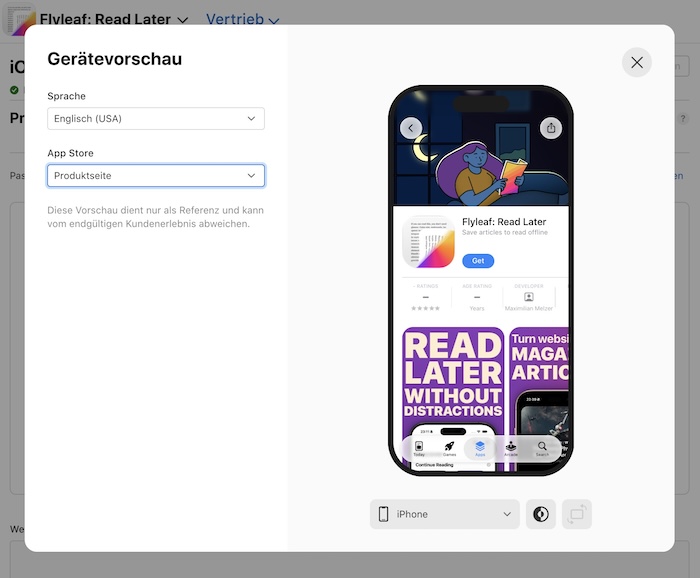
Designing assets for Apple’s new App Store display options
With the release of iOS 27, App Store Connect introduced new options for displaying custom assets at the top of your app’s App Store page, and in place of the first three screenshots in the search results page. I think this is an underrated opportunity to stand out right now,…Lex On Tech: „Max Melzer’s Flyleaf is a fresh take on reading later“
Lex Friedman has been kind enough to put his „Indie developer spotlight“ on my little read-later app. He wrote a pretty thorough summary of what Flyleaf is all about: Max believes vertical scrolling isn’t great for focused reading. He’s believed that a long time. His first iOS device was a…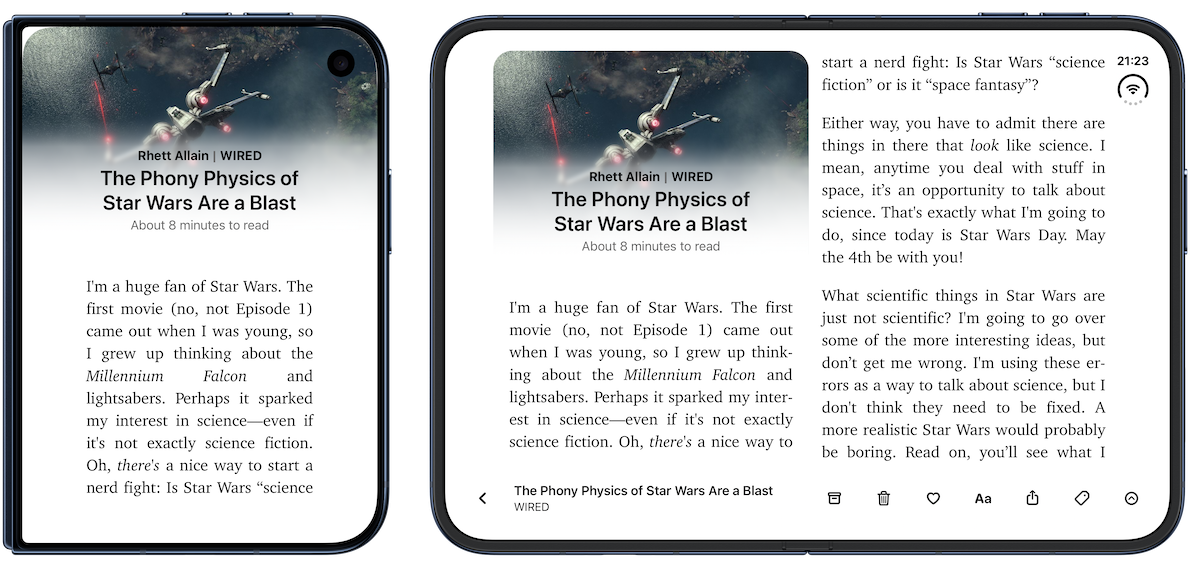
Flyleaf 2.7 – All the little things
Flyleaf 2.7 brings some pretty noticeable design tweaks to Flyleaf, with a new sidebar on iPad and Mac (and the upcoming iPhone Duo). The new article actions view on iOS puts tagging, article info, and reading settings just a few swipes away. Plus, the new „Stack“ pagination style makes turning…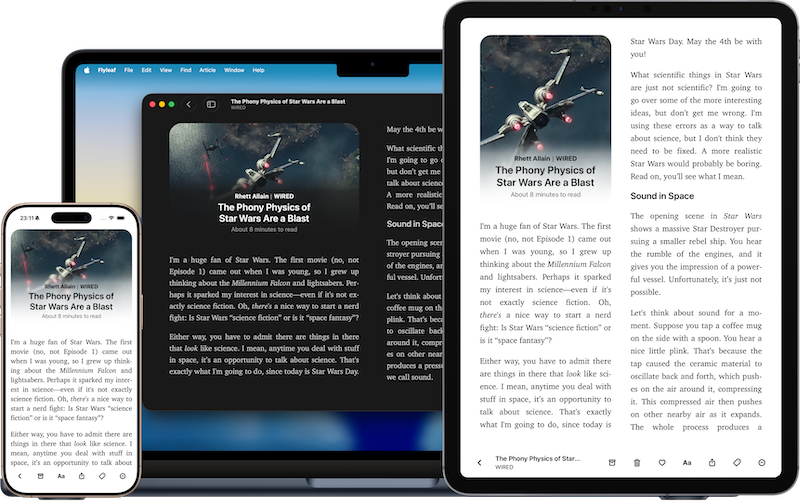
What’s new in Flyleaf 2.6 (and what’s coming next)
This update took me a little longer than usual, but for good reason: Flyleaf 2.6 is packed with new features, improvements, and fixes (oh and also the update got held up for three weeks in App Review). One of the biggest additions is proper table support. Flyleaf can now display…
Flyleaf 2.5 – Finally adding Widgets, and better ways to fix content issues
Today, version 2.5 of Flyleaf, my independently-created read-later app for iPhone, iPad and macOS, became available on the iOS and macOS App Store. Free Download for iPhone, iPad and Mac In this post, I want to talk a little more in-depth about what’s new in this release. It was about…Bleib auf dem Laufenden
Flyleaf wurde von Max Melzer erfunden und entwickelt, einem unabhängigen Software-Entwickler aus Leipzig. Du kannst ihm auf seiner persönlichen Website oder auf Mastodon folgen. Du kannst Max auch eine E-Mail schreiben.
Kostenloser Download für
iPhone, iPad und Mac
iPhone, iPad und Mac