What’s new in Flyleaf 2.6 (and what’s coming next)
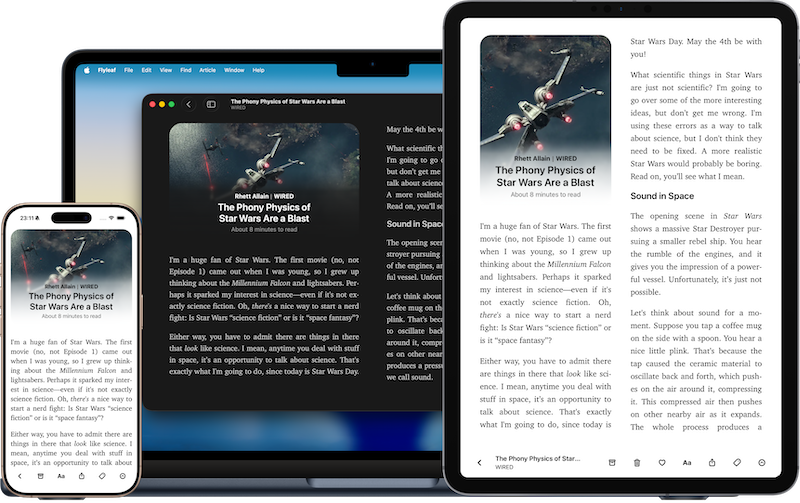
This update took me a little longer than usual, but for good reason: Flyleaf 2.6 is packed with new features, improvements, and fixes (oh and also the update got held up for three weeks in App Review).
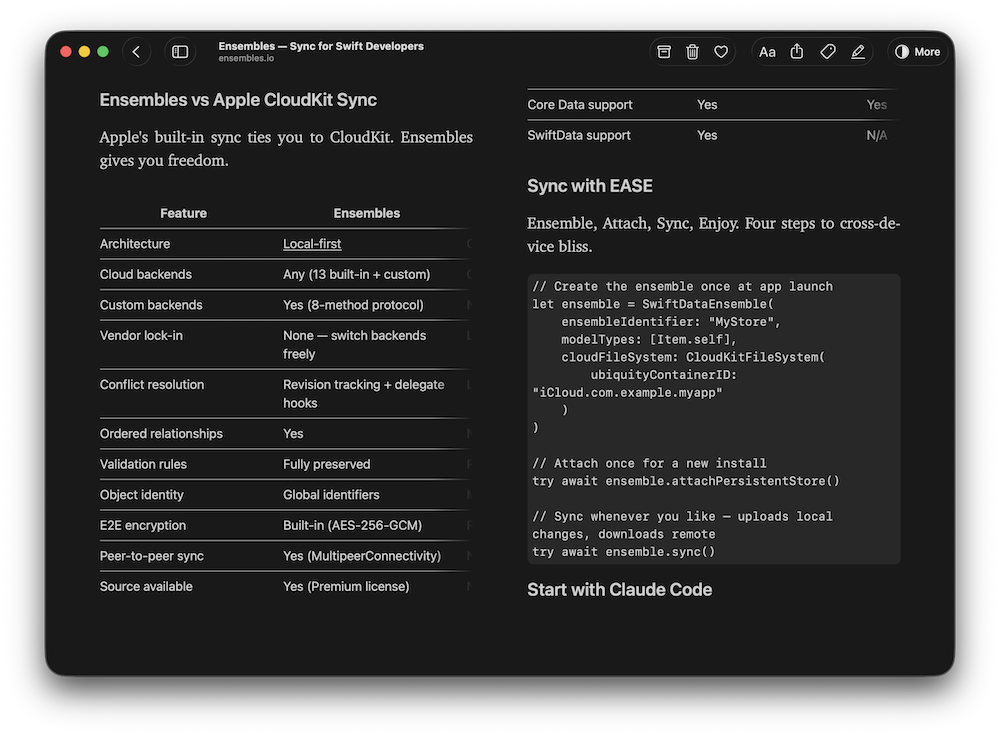
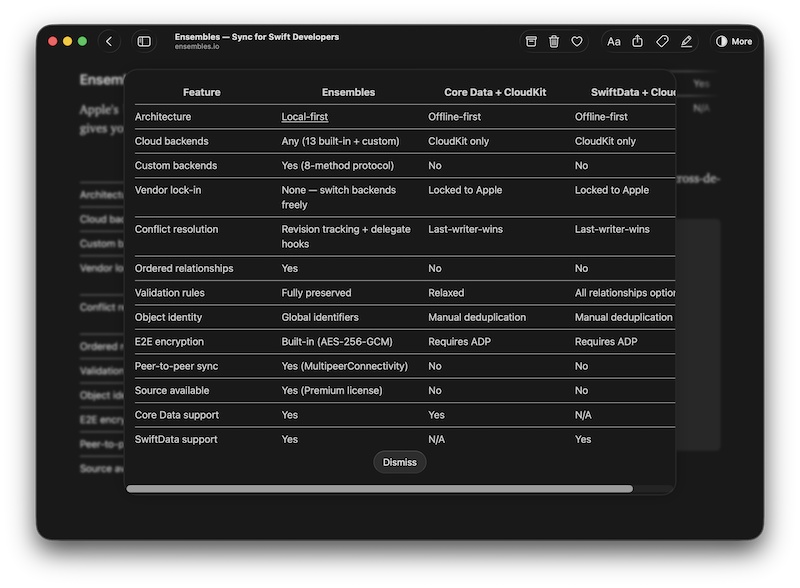
One of the biggest additions is proper table support. Flyleaf can now display tables in articles, and I think I found a pretty elegant solution that works well for both small and large tables—even on an iPhone screen. If you want to see the new tables in an article you’ve already saved, you’ll need to redownload that article first.
On iOS, the most noticeable change is probably the new zoom navigation transition for articles. It makes moving in and out of articles feel much more natural and fun, and it comes with a bunch of new gestures. (Seriously try pinching to dismiss an article!)
Beyond the headline features, I’ve continued chipping away at bugs, polishing rough edges, and wrestling with Apple’s frameworks to make Flyleaf behave exactly the way I want it to. There are also several smaller additions based directly on user requests, including Markdown export and a few new customization options.
While working on 2.6, I’ve also been spending a lot of time on Flyleaf 3.0. That update will finally bring notes and highlights to articles – something many of you have been asking for. It’s shaping up to be a fantastic release, but it needs a little more time before it’s ready.
As always, thank you for using Flyleaf. I hope you enjoy the update, and I’d love to hear your feedback, ideas, and feature requests. Just drop me a message at hi@flyleafapp.com.
iPhone, iPad and Mac

And now as always, the full release notes for Flyleaf 2.6:
Flyleaf 2.6 lands with some long-requested upgrades. Tables finally render properly, Bluesky threads can join your reading queue, and importing from Readwise Reader is now just a click away. Export articles as Markdown, navigate with a built-in table of contents, and enjoy a smoother, more polished reading experience across iOS, iPadOS and macOS. Plus: a stack of fixes for images, videos, reading position, and other pesky paper cuts.
New Features
- Display tables in articles
- Basic support for adding Bluesky threads
- Browse table of contents in article details
- New option for the default list view
- New option for how to treat articles added via drag-and-drop, bookmarklet or URL scheme
- Export article text as Markdown
- Import articles from Readwise Reader
Improvements
- iOS: Improved navigation transition animations and gestures
- PDF parser improvements
- macOS: Tweaked default window size
- More responsive and convenient font picker
- Article view now falls back to non-pagination mode more gracefully in case of issues
- UI tweaks and polish
Bug Fixes
- Fixed images appearing smaller than necessary
- Fixed videos that were invisible until tapped
- Fixed sometimes resetting reading position when rotating device or resizing window
- Fixed weird broken text when shared via the share sheet
- Fixed article header alignment on large screens
- Fixed a crash when long pressing a tag